
Preventing Smart Homes from Being Hijacked by Hackers: 7 Key Security Steps

Smart homes promise convenience, comfort, and even energy savings by connecting everyday devices—like lights, cameras, locks, and thermostats—to the internet. But with this connectivity comes a very real risk: hackers exploiting weak points in these networks to gain access, steal data, or even take control of devices.
The good news is that securing your smart home doesn’t require a computer science degree—just some awareness, planning, and consistent best practices. Below are seven key steps to protect your connected devices and prevent your home from becoming a hacker’s target.
1. Strengthen Your Wi-Fi Network
Your smart home is only as secure as the Wi-Fi network that connects it. Because all your devices—from door locks to smart speakers—rely on your router, this is the first line of defense hackers will attempt to breach.
Update your router’s default settings: Most routers ship with predictable names (such as “Netgear123”) and simple login details, making them easy targets for hackers.Hackers can easily guess these. Set a unique network name (SSID) and a strong password.
Enable WPA3 encryption whenever possible: As the latest Wi-Fi security standard, WPA3 provides stronger protection compared to the older WPA2 protocol. Check your router’s settings to see if it’s supported.
Turn off WPS (Wi-Fi Protected Setup): Though convenient, WPS is vulnerable to brute-force attacks. Disable it unless absolutely necessary.
Separate networks: Create a dedicated “guest” or IoT network for your smart devices, separate from the network you use for personal computers and phones. This prevents a compromised device from giving hackers a pathway to your more sensitive data.
By tightening up Wi-Fi security, you’re reducing the number of entry points a hacker can exploit.
2. Use Strong, Unique Passwords for Every Device
One of the biggest mistakes smart home owners make is reusing the same password across multiple devices or accounts. Hackers rely on this laziness: if they steal one password, they’ll test it everywhere else.
Never stick with factory defaults: Devices like cameras and smart plugs often ship with “admin” and “1234” as their login details. These are public knowledge and searchable online. Change them immediately.
Use complex passwords: Strong passwords should be at least 12 characters long and mix letters, numbers, and symbols.
Adopt a password manager: Remembering unique credentials for every device can be overwhelming. Password managers like 1Password, Bitwarden, or LastPass can safely store and generate strong logins for you.
Enable account lockouts where possible: Some apps allow you to limit failed login attempts. This prevents hackers from using automated brute-force attacks.
If each device has a unique, strong password, a breach in one area won’t compromise your entire home.
3. Keep Firmware and Apps Updated
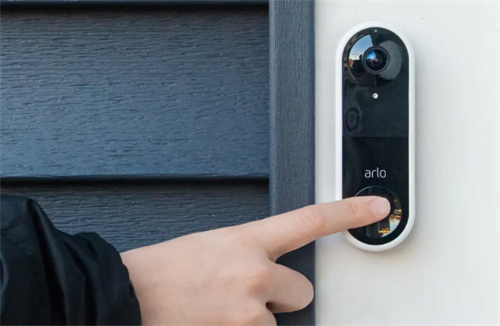
Outdated software is like leaving your front door unlocked—manufacturers regularly release patches to fix known vulnerabilities. Hackers specifically look for unpatched devices to exploit.
Check for updates regularly: Some devices auto-update, but many require you to manually approve updates in the app.
Update your router first: Because it connects everything, your router should always be running the latest firmware.
Update mobile apps controlling devices: Hackers sometimes exploit old versions of apps rather than the devices themselves.
Avoid unsupported devices: If a manufacturer stops releasing updates, the device becomes a permanent risk. In that case, consider replacing it.
Routine updating may seem minor, but it’s one of the most effective defenses against known exploits.
4. Enable Two-Factor Authentication (2FA)
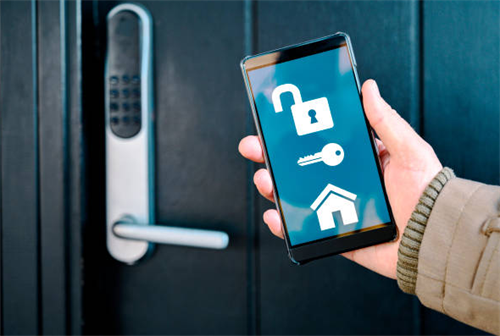
Even the strongest passwords can’t fully protect accounts from being exposed through phishing attacks or data breaches.Two-factor authentication (2FA) adds a critical extra step: a second form of verification, such as a text message code, email confirmation, or authentication app.
Prioritize high-risk devices: Smart locks, security cameras, and alarms should have 2FA enabled if supported.
Opt for an authenticator app instead of SMS codes: Tools such as Google Authenticator or Authy provide stronger protection because text messages can be intercepted.
Enable 2FA for associated accounts: Don’t forget that many smart devices connect through cloud services like Amazon Alexa, Google Home, or Apple HomeKit. Turn on 2FA there as well.
This way, even if a hacker guesses your password, they’ll be blocked without your secondary verification.
5. Monitor Devices and Network Activity
Hackers often try to operate silently. By paying attention to your devices and network, you can catch suspicious activity early.
Check device logs: Some smart devices (especially cameras and routers) maintain logs of login attempts or unusual access.
Set up alerts: Enable push notifications for security-related events, like failed login attempts or device reboots.
Use a network monitoring app: Tools such as Fing or GlassWire can show you all devices currently connected to your Wi-Fi. If you spot an unknown device, it could mean your network has been compromised.
Review permissions: Regularly check which apps and services have access to your smart devices. Remove anything unnecessary.
By keeping an eye on your system, you can identify issues before they escalate into full takeovers.
6. Be Selective When Buying Smart Devices
Security standards vary among smart devices, and some manufacturers compromise protection to offer lower-priced products.Choosing reputable manufacturers can save you from bigger headaches down the line.
Research before buying: Look for devices with a track record of regular software updates and clear security policies.
Check for security certifications: Some regions, like the EU and UK, now have cybersecurity labeling schemes for IoT devices. Products with these labels meet higher standards.
Avoid no-name brands with poor support: If you can’t find documentation, reviews, or support channels, that’s a red flag.
Consider device necessity: Ask yourself whether you really need a smart-enabled version of everything. The fewer connected devices, the smaller your attack surface.
A cheaper smart plug that doesn’t receive software updates can turn into a serious vulnerability for your entire network.
7. Practice Smart Habits with Smart Tech
No matter how secure a system is, careless usage can leave it vulnerable.Building good digital habits is essential.
Don’t overshare device access: Only grant control to family members or trusted individuals. Avoid giving access to acquaintances.
Disable unused features: If your smart TV or voice assistant has functions you don’t use—like external sharing or remote microphone access—turn them off.
Be cautious with voice assistants: Hackers can sometimes trigger devices through sound. Change default wake words and limit what sensitive information assistants can access.
Secure physical access: Don’t forget that hackers don’t always operate remotely. If someone can access your devices physically, they may bypass digital protections. Keep routers and hubs in restricted areas: Place core devices where unauthorized people can’t easily reach them.
Educate family members: A smart home is shared. Make sure everyone in the household understands not to click suspicious links or share login details.
Cybersecurity isn’t just about technology—it’s about habits.
By reinforcing your Wi-Fi network, using strong and unique passwords, updating software regularly, enabling two-factor authentication, monitoring activity, choosing reputable devices, and practicing safe usage habits, you significantly reduce the risk of hackers hijacking your systems.No security measure is perfect, but layering these strategies creates strong protection against intrusions. Enjoying a connected lifestyle should always go hand in hand with protecting your security.With a bit of vigilance, you can enjoy all the benefits of a connected home—without opening the door to cybercriminals.
RELATED GUIDES

10 Expert Tips to Make Your Small Space Look Twice as Big
Living in a small home or apartment doesn’t mean you have to sacrifice style or comfort.Actually, some of the most creative and uniquely tailored interiors appear in small, cozy spaces.
The Kitchen Work Triangle: The Ultimate Guide to Designing a Efficient, Enjoyable Culinary Space
The kitchen is more than just a utilitarian space for preparing meals; it’s a vibrant hub where morning coffee fuels the day’s ambitions.
Whole House Audio vs. Smart Speakers: Which Audio System Is Right for You?
Music isn’t merely background—it can shape the atmosphere, influence your mood, and enrich daily life.As technology has advanced, homeowners now have multiple ways to enjoy audio throughout their homes.
Home Improvement Color Matching Guide: How Natural Light Shapes Interior Color Choices
When it comes to home decor, color isn’t just about personal taste—it’s a dynamic element that shifts and evolves with the light streaming through your windows.