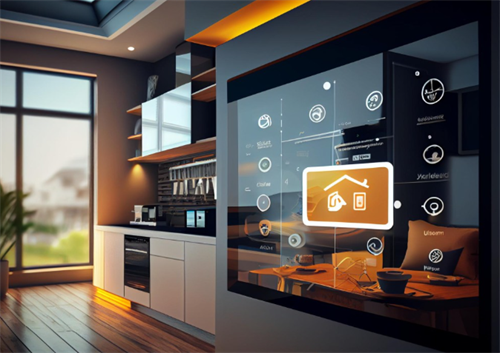
Are Your Smart Devices Monitoring You? A Guide to Privacy in Smart Homes
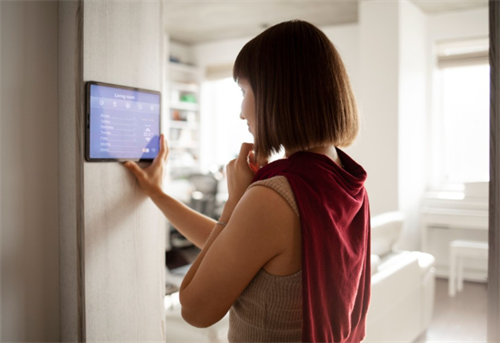
After a long day, you finally sink into the couch. With just one voice command, the lights lower, your favorite playlist starts, and the thermostat sets itself to the ideal temperature.It feels effortless, almost magical—this is modern living.
If that notion has ever crossed your mind, you're in good company. As smart speakers, video doorbells, and Wi-Fi-enabled vacuums become commonplace in our homes, a crucial question emerges: In our quest for convenience, are we trading away our privacy?
The short, and perhaps uncomfortable, answer is yes, to some degree. By design, smart devices gather data as they operate.That’s how they work. But that doesn’t mean we have to blindly surrender our personal lives. The key is to understand what’s happening behind the scenes and take simple, practical steps to control it.Consider it not as constructing an impenetrable fortress, but rather as setting up a practical boundary fence around your digital world.
The Always-On Ears in Your Living Room:
Let’s start with the device that sparks the most suspicion: the smart speaker. How does it recognize its "wake word" (such as "Alexa" or "Hey Google") without constantly eavesdropping?
Here’s the basic breakdown: These devices have a small, dedicated chip that does one job and one job only: listen for its specific wake word. During this phase, it’s not "recording" in the sense of sending audio to the cloud. It’s simply listening for that one sound pattern, much like your ear constantly hears background noise but only perks up when someone says your name.
After detecting the wake word, the device begins recording a brief segment of audio and transmits it to the company’s secure cloud servers.That’s where the powerful artificial intelligence lives that can decipher your request for "80s rock music" or "a timer for 20 minutes."
So, is it always listening? Technically, its ear is always on, waiting for its name. But it’s not always recording and storing everything you say. The privacy concern lies in those audio clips that are sent and saved after the wake word. Companies often use these clips to improve their services, which means real humans might review a small subset of them. Yes, you read that right. Anonymous reviewers might occasionally hear a recording of you asking about the weather or, in some awkward cases, a private conversation that was accidentally triggered.
More Than Just Ears: The Data Ecosystem
It’s not just about audio. Your smart home is a network of devices that constantly collect and share data. Each one offers a different piece of the puzzle about your life:
Your Smart TV: Many modern TVs track your viewing habits to serve you targeted ads. They could track what shows you binge on Netflix and which news outlets you regularly follow.
Your Smart Vacuum: High-end robot vacuums, like those from iRobot, create detailed maps of your home’s layout to navigate efficiently. This is incredibly useful for the device, but it also means a company has a digital blueprint of your living room, bedroom, and kitchen.
Your Smart Thermostat: It learns your schedule—when you’re home, when you’re asleep, when you’re away—to save energy. This pattern of life is valuable data.
Your Smart Fridge: It might track your groceries, expiration dates, and what you consume, building a profile of your eating habits.
Individually, these data points might seem harmless. But when aggregated, companies can build a startlingly complete profile of your daily routines, preferences, and behaviors. The primary goal is usually to sell you things more effectively or improve products, but the potential for misuse or a data breach is a real risk.
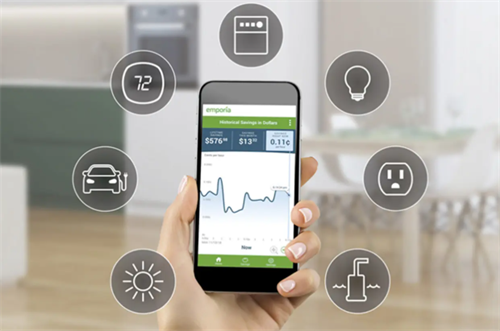
Drawing Your Digital Boundary Fence: Practical Privacy Steps
This might sound alarming, but don’t yank the plugs out of everything just yet. You can enjoy the convenience while significantly bolstering your privacy. You don’t need to be a tech expert; you just need to be willing to dive into some settings.
1. Audit and Configure Your Device Settings
This is the single most important step. As soon as you set up a new device, launch its companion app and locate the privacy settings.
Review Voice History: Both Amazon and Google allow you to review and delete the voice recordings associated with your account. In many cases, you can configure them to automatically delete after 3 or 18 months.
Opt-Out of Human Review: Look for settings with names like "Help improve Amazon Alexa" or "Voice & Audio Activity." Turning these off prevents your audio snippets from being used for product development and manual review.
Manage Activity Data: See what other data your devices are storing, like thermostat schedules or vacuum maps, and delete it if you wish.
2. Secure Your Network
Your smart home is only as secure as the Wi-Fi network it’s on.
Change Your Router’s Default Password: This is a critical first line of defense.
Set Up a Guest Network: Many modern routers let you create a dedicated Wi-Fi network specifically for your smart devices. This isolates them from your main network (where your laptops, phones, and sensitive information live), so if a device is compromised, the hacker can’t access your more important files.
Keep Firmware Updated: Enable automatic updates on your router and devices to ensure you always have the latest security patches.
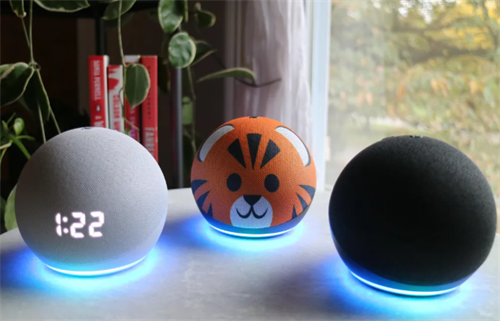
3. Mute the Mic and Cover the Camera
This is old-school but 100% effective.
Physical Switches: Use the physical mute button on your smart speaker when you’re having sensitive conversations or just want guaranteed privacy. The light will indicate it’s off and cannot hear you.
Camera Covers: For any device with a camera—a smart display, a security camera you use indoors, or even your laptop—a simple sliding webcam cover or even a piece of opaque tape gives you complete control over when you’re seen.
4. Be Selective About What You Connect
Ask yourself before buying a new device: Does this need to be smart?
Do you really need a voice-activated microwave or a Wi-Fi-enabled water pitcher? Often, the convenience gain is minimal, but you’re adding another node to your network that could be vulnerable. Focus on smart devices that offer clear, significant benefits like security (video doorbells), efficiency (thermostats), or accessibility (smart lights).
5. Read the Privacy Policy (Yes, Really)
You don’t have to read every word, but skim it for the key details. See what data the company collects, what it says it does with that data, and who it might share it with. A company that is transparent about its data practices is generally more trustworthy than one that obscures them.
Living Smartly and Safely:
The goal isn’t to inspire paranoia, but empowerment. Smart home technology offers amazing benefits, from helping us save energy to making our homes more secure and accessible. We shouldn’t have to refuse these benefits to protect our privacy.
The truth is, a certain amount of data collection comes with the territory of owning a smart home.The trade-off is a personal decision. By understanding how your devices work and taking these manageable steps, you can make an informed choice about what you’re comfortable sharing. You can draw your own boundary fence, ensuring that your home remains your castle—a place of comfort, convenience, and, most importantly, privacy.
RELATED GUIDES

Are Eco-friendly Paints Really 'Zero Formaldehyde'?
If you've ever walked down the paint aisle at your local home improvement store lately, you've probably noticed something.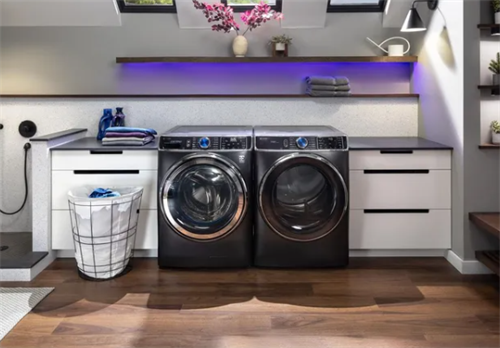
Are Smart Washers and Dryers Worth Buying?
In today's world, where technology has become an integral part of every aspect of our daily lives, from smartphones to smart homes, even the laundry room has embraced innovation.
Mastering Sealant Application: The Key to a Durable and Beautiful Home
When it comes to home improvement and interior design, many people focus on large elements—furniture, lighting, flooring, or color schemes.
How to sharpen kitchen knives at home?
At the center of every kitchen is a set of knives—tools we use every single day, whether for slicing vegetables, filleting fish, or carving a Sunday roast.